
Know what you will need before you need it.
One agent that forecasts, right-sizes and plans capacity across public cloud, Kubernetes, VMware, Nutanix and OpenShift, with the cost attached to every answer. It runs inside your boundary.
Every surface built for deterministic analyst governance
From real-time alert triage to cryptographic audit ledgers, review sovereign telemetry and authorization gates in place.
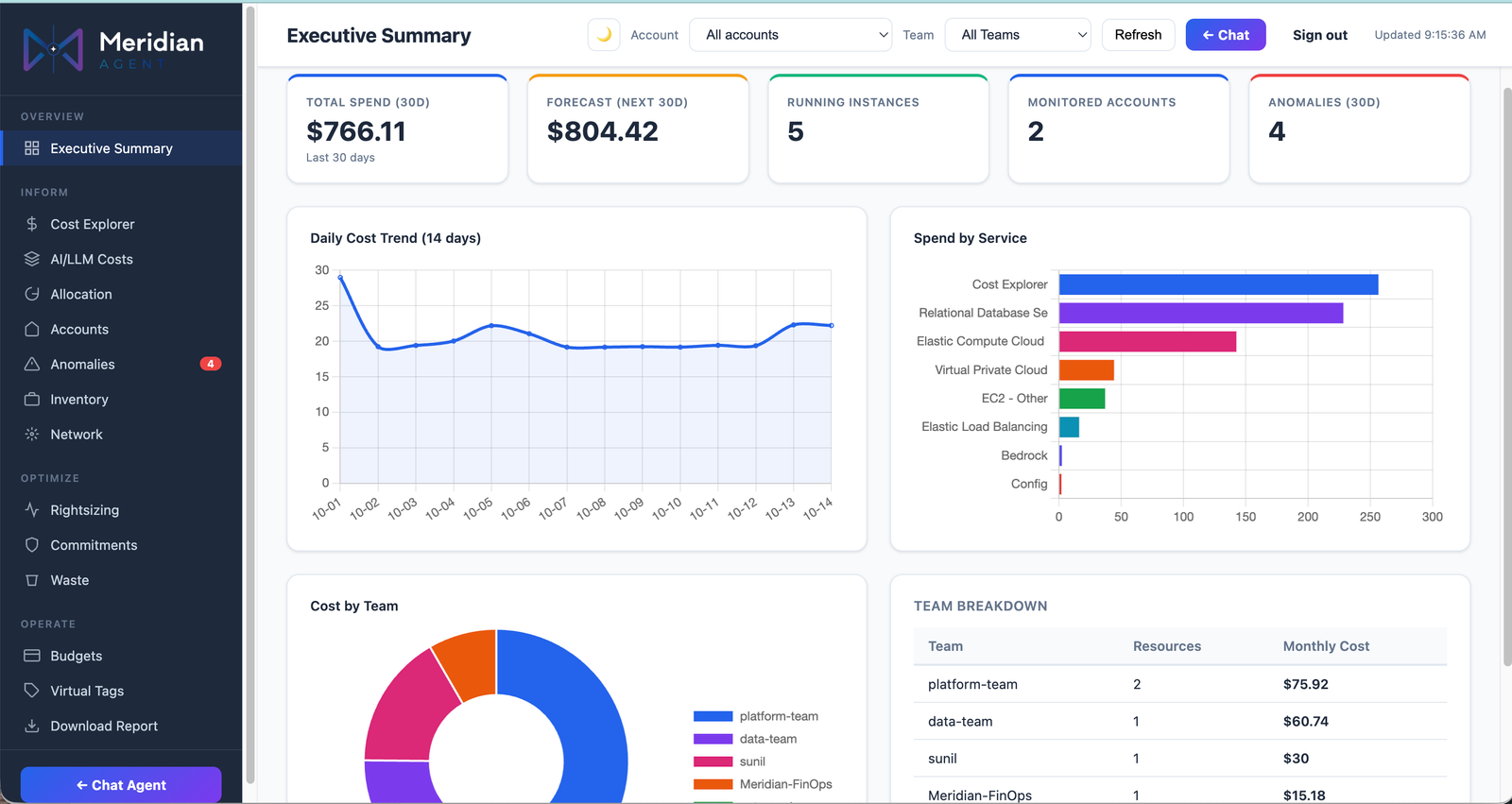
Multi-Cloud Headroom & Allocation Cockpit
Real-time headroom forecasting across public clouds, clusters & hypervisors
Unified visibility across AWS, Azure, GCP, OCI, VMware, Nutanix, and OpenShift. Correlates compute headroom, growth run-rate, and allocation in one view.
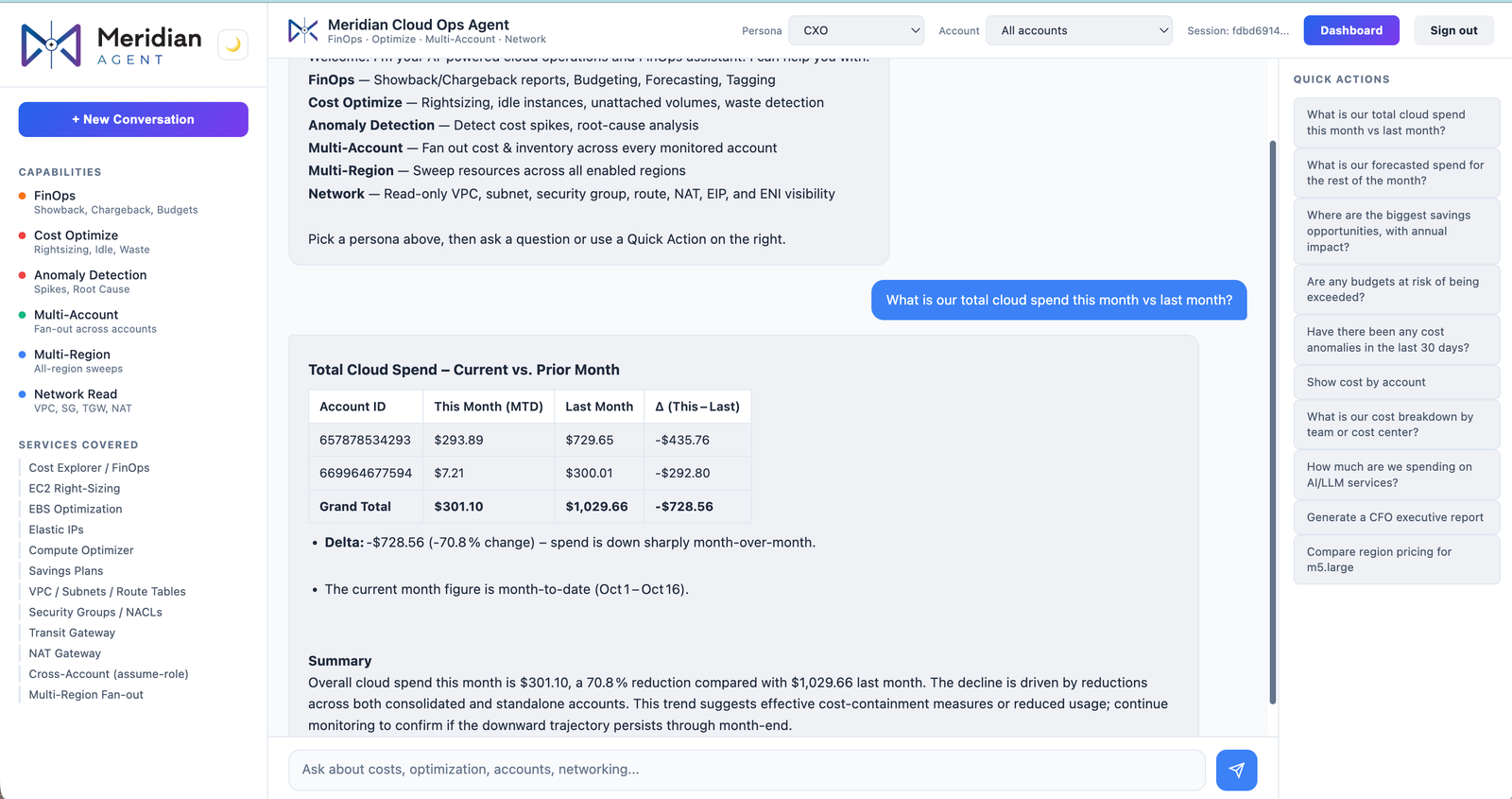
Natural Language Capacity & What-If Investigation
Plain-English queries with capacity and cost evidence attached
Ask Meridian natural language questions across all connected estates: "Which clusters run out of headroom this quarter?" and receive the forecast with live evidence.
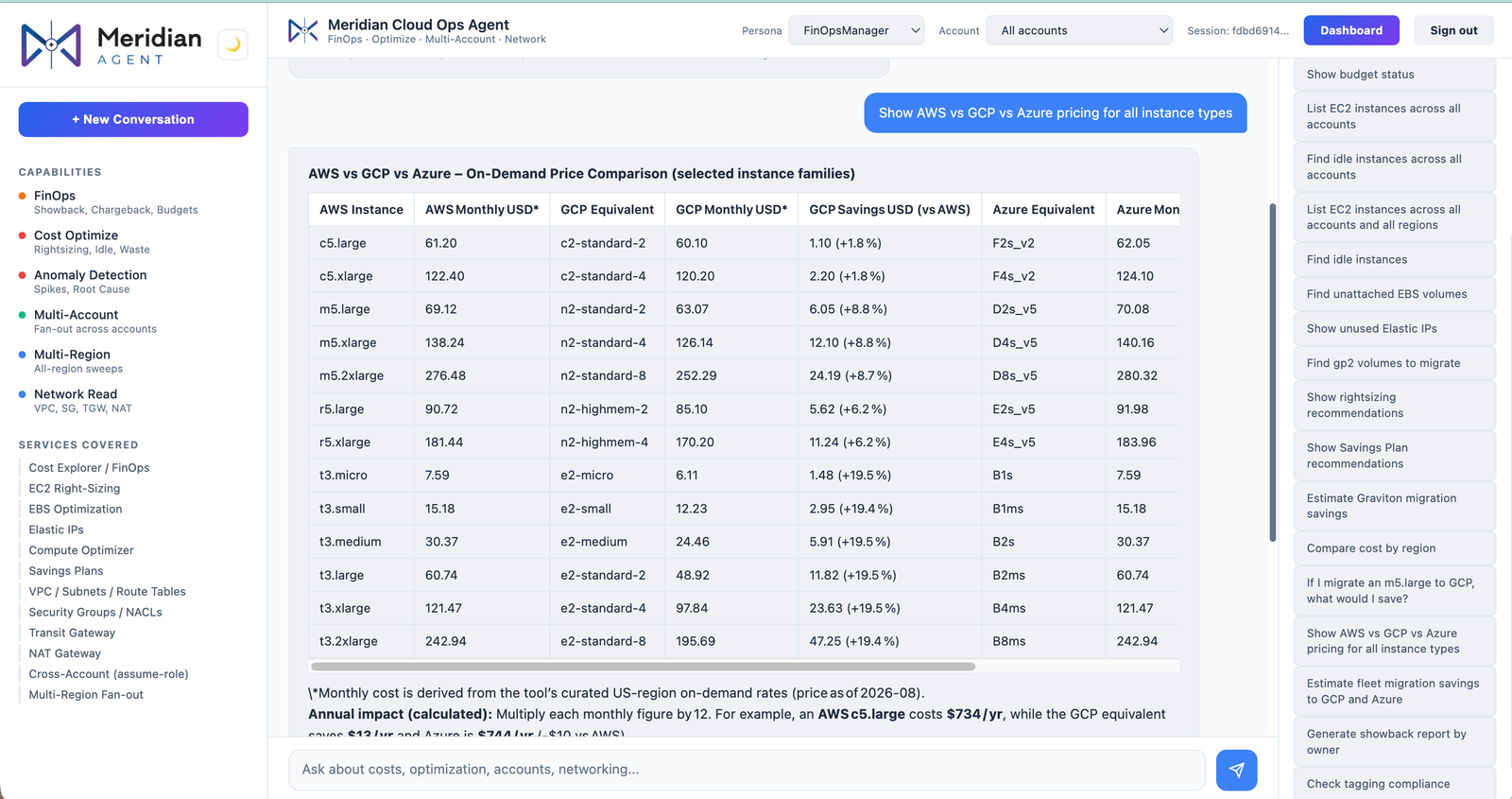
Cross-Hypervisor Placement & Cloud Sizing
Side-by-side cost and headroom modelling for VMware, Nutanix, OpenShift & AWS
Model workload migrations across on-prem hypervisors and public clouds. Right-sizes VMs before moving and flags clusters breaching headroom within 90 days.
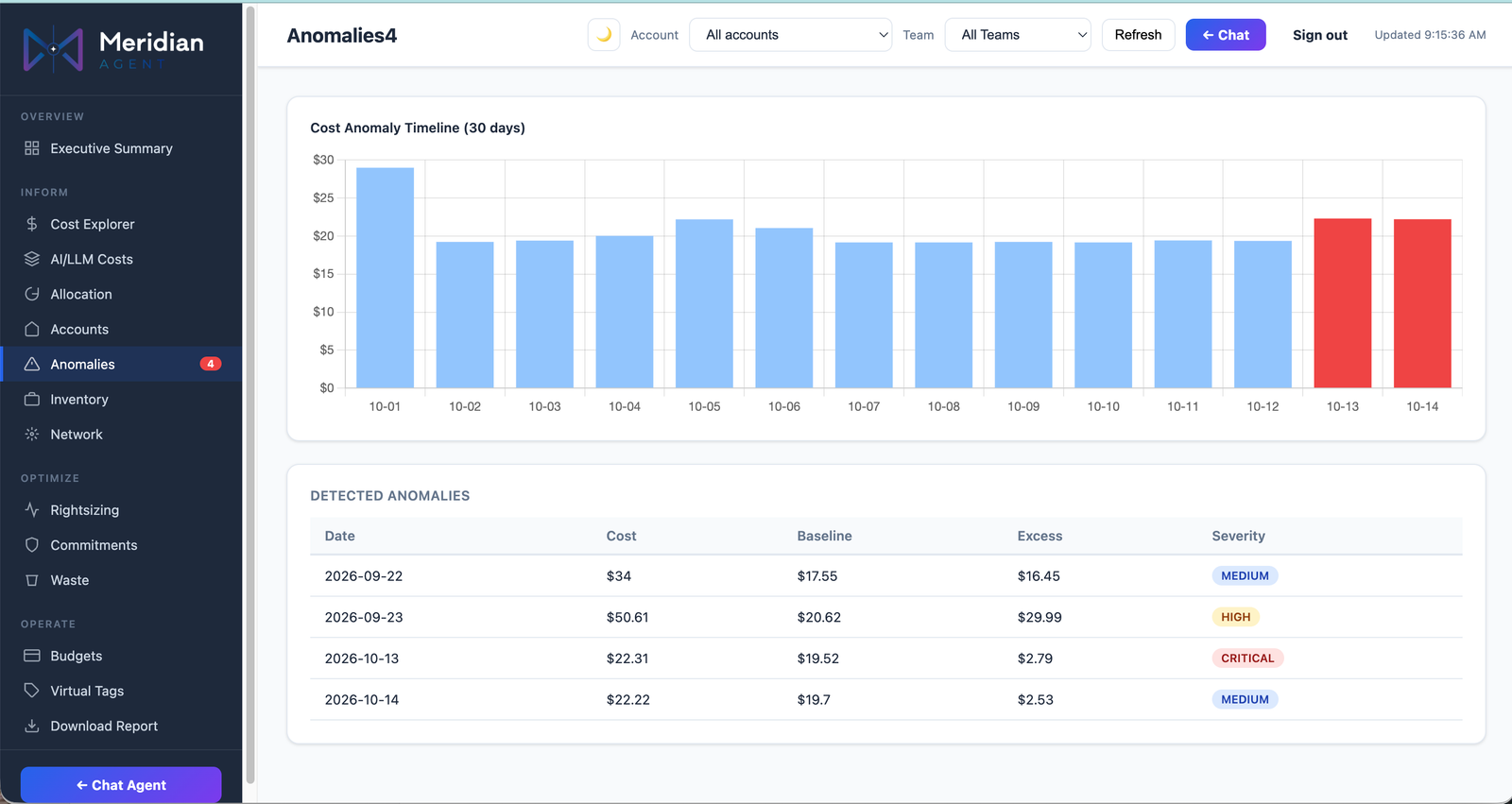
Governed Right-Sizing & Approval Gates
Autonomous recommendations raised in Jira with mandatory human approval gates
Instance, VM and Kubernetes pod right-sizing recommendations calculated with dollar impact, raised in Jira or Slack/Teams, and applied only after human approval.
Capacity planning still lives in three tools and a spreadsheet.
Conventional security and operations fail from swivel-chair triage lag, unranked alerts, and brittle shell scripts.
Cost and capacity are planned apart
Capacity teams size for performance. FinOps teams chase the bill. Nobody sees utilisation and spend in the same view, so over-provisioning gets approved twice.
Every estate needs its own tool
VMware, Nutanix, OpenShift, Kubernetes and three clouds each come with their own console. Planning a move between them is a manual project.
Recommendations that never ship
Reports list right-sizing opportunities. Without a safe way to apply them, they wait in a queue until the next quarterly review.
How Meridian Capacity operates
Deterministic multi-agent execution from log ingestion to verified human containment.
Connect
Read-only access to native cloud billing and metrics APIs, vCenter, Nutanix Prism, OpenShift and Kubernetes. No agents installed on your hosts.
Analyse
Utilisation, cost and growth are correlated per VM, node, pod, namespace and account.
Plan
Forecast demand, run what-if scenarios and compare placement across hypervisors and clouds before anything moves.
Act with approval
Right-sizing and placement changes are proposed with dollar impact, raised in Jira or Slack/Teams, and applied only after a human approves.
Capacity, cost and placement in one answer
Deterministic operations backed by verifiable cryptographic proof.
Ask in plain English
Chat is the primary interface, not an add-on. Ask "Which clusters run out of headroom this quarter?" and get the answer with the evidence behind it.
Right-sizing everywhere
Instance-type right-sizing on every supported cloud, plus VM and Kubernetes pod right-sizing on-prem.
Forecasting and what-if
Run-rate and growth forecasts, consolidation analysis and what-if modelling for new workloads, mergers or hardware refreshes.
Migration and placement
Compare cloud and on-prem costs for any workload, and model moves across VMware, Nutanix and OpenShift Virtualization.
Commitment planning
Model Reserved Instances, Savings Plans and Committed Use Discounts against forecast demand, not last month's bill.
Kubernetes cost allocation
Cluster and namespace cost allocation for EKS, AKS and GKE, with virtual tags so teams are charged even where tagging is incomplete.
Works across your whole estate
Public cloud
AWS · Azure · Google Cloud · Oracle Cloud (OCI)
Private cloud and virtualisation
VMware vCenter (incl. host/cluster power analysis) · Nutanix Prism · OpenShift Virtualization (KubeVirt)
Kubernetes
EKS · AKS · GKE · OpenShift
Workflow
Jira · Slack · Microsoft Teams · Meridian APM/NetOps for application telemetry
Models
Amazon Bedrock · OpenAI · A local model of your choice
Moving off VMware? Meridian models the destination before you commit.
An infrastructure lead asks: "If we move our tier-2 VMware clusters, what is cheaper: Nutanix, OpenShift Virtualization or AWS?" Meridian pulls current utilisation from vCenter, right-sizes each VM first, prices the three destinations side by side and flags the clusters that would breach headroom within 90 days. The plan is raised as a Jira ticket for approval.
Meridian Capacity Impact Analysis
Illustrative scenario. Results depend on estate size and data quality.
Meridian Capacity vs traditional capacity tools
Most capacity tools forecast. Meridian forecasts, prices and acts, with approval.
| Capability | Meridian Capacity | Classic capacity planners | ITOM suites |
|---|---|---|---|
| Primary interface | Agent-native: built agent-first | Dashboards and reports | Dashboards + add-on AI assistant |
| Cost + utilisation in one view | Yes, FinOps built in | Separate FinOps tool | Separate FinOps tool |
| Cloud right-sizing | All supported clouds | Limited (often AWS only) | Varies |
| Commitment planning (RI / SP / CUD) | Yes | No | No |
| Cross-hypervisor placement | VMware ↔ Nutanix ↔ OpenShift | No | No |
| Applying changes | Automated, behind approval gate | Manual | Automated |
| Where it runs | Your cloud account or on-prem | On-prem only | Vendor SaaS or on-prem |
| Pricing model | Flat, not tied to % of spend | Licence | Licence / resource units |
Based on public product information, November 2026.
Frequently asked questions about Meridian Capacity
Does Meridian Capacity need agents installed on our servers?
No. It reads from native APIs (cloud billing and metrics, vCenter, Nutanix Prism, Kubernetes) using read-only credentials.
Can it change our infrastructure on its own?
Only with approval. Every right-sizing or placement change is proposed with its cost impact and waits for a named approver. Read-only is the default.
Where does our data go?
Nowhere outside your boundary. Meridian runs in your own cloud account or on-prem on containers/Kubernetes, and you choose the model it uses.
Run Meridian against a real estate.
Connect one cloud account or one vCenter, read-only. We will show you the right-sizing, the forecast and the cost, with evidence attached.